
TEAM KSHEMANKARI · WORLD INVENTION COMPETITION AND EXHIBITION 2026 · IT AND ROBOTICS
Care that
never sleeps.
A portable companion device that knows which pill is the right one, remembers when it is due, feels the fall you did not see coming, and calls someone who can help.
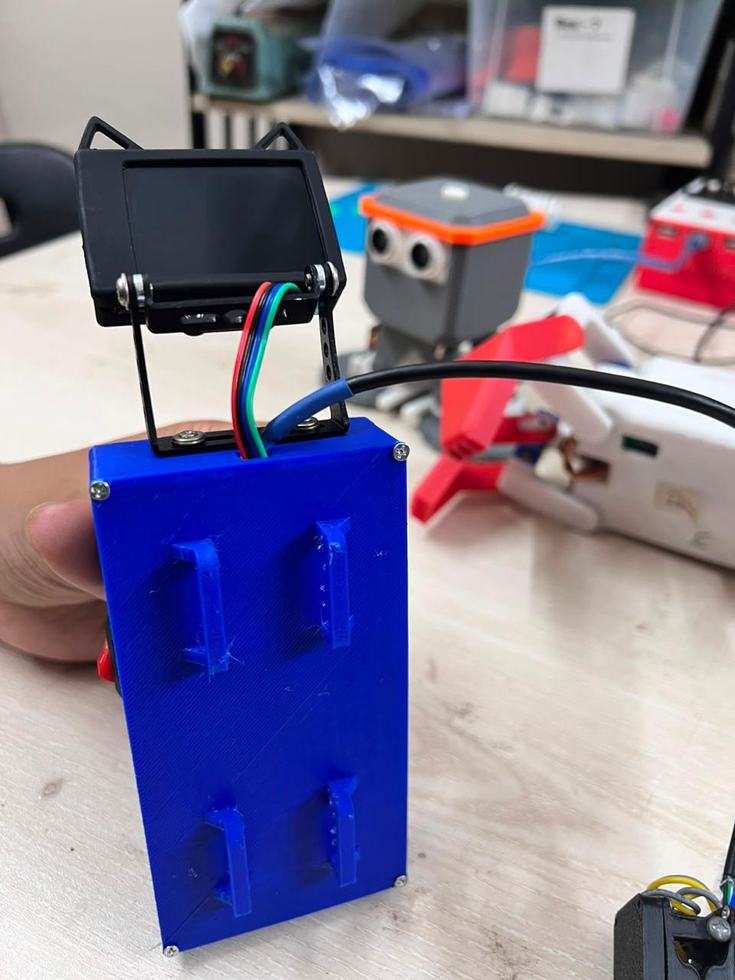
Demonstration · 9:16
FIG. 01 — THE PROBLEM
She kept forgetting the one that mattered.
Aebong's grandmother fell in the bathroom and was seriously injured. She often takes one medicine twice. Sometimes she even forgets to take her medicine timely. Her recovery was complicated by a daily medication she often forgot to take. We realized that many elderly people face similar challenges with health monitoring and medication management. This inspired us to create a solution. We envisioned a smart assistive stick that could help elderly people with their daily health needs. We named our idea CareCompanion.
Field note — origin of the project
Forgetting a dose, confusing two boxes, or missing a reminder is not a small mistake when you are eighty and living alone. Caregivers cannot watch every hour of every day.
11.28 million people are the whole of the opportunity. The 0.79 million facing medication-related harm each year are the reason we built this one.
FIG. 02 — THE DEVICE
Seven parts, one enclosure.
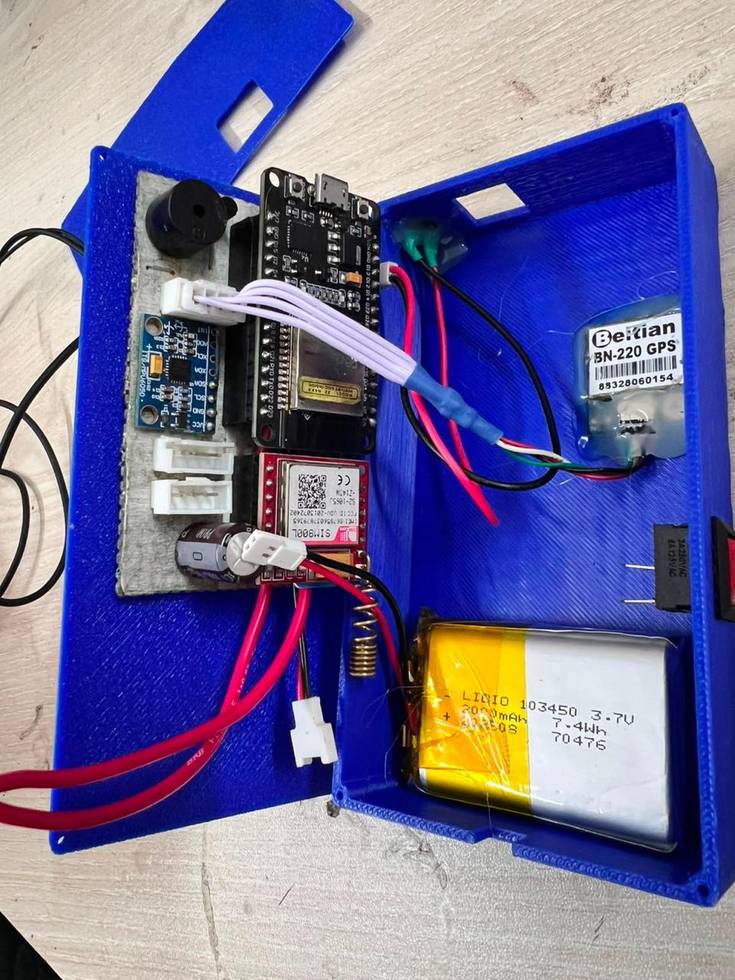
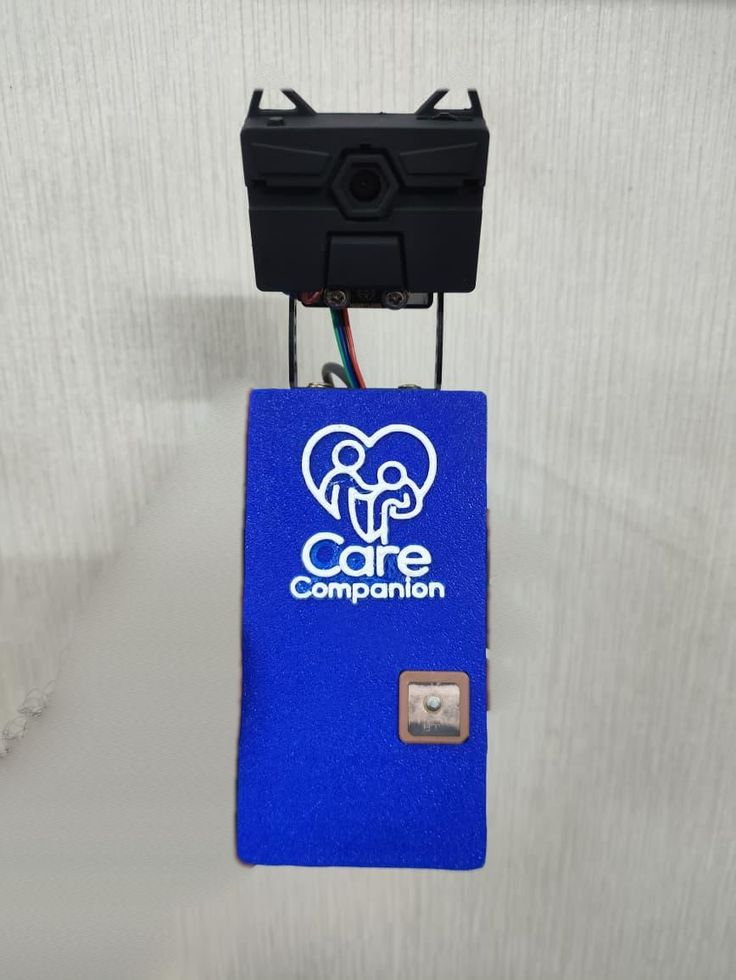
Everything is mounted inside a 3D-printed enclosure — portable enough to set on a desk or carry throughout the day.
-
ESP32
Dual-core controller with Wi-Fi and Bluetooth. Runs everything.
-
HuskyLens 2MP
AI vision sensor. Recognises the tagged medicine.
-
OLED 0.96″
128×32 display. Shows the reminder and the reading.
-
MAX30102
Pulse oximeter. Heart rate and SpO₂ from a fingertip.
-
MPU6050
6-axis accelerometer and gyroscope. Detects the fall.
-
SIM800L
GSM module. Sends the SMS, places the call.
-
GY-NEO6MV2 (Beitian BN-220)
GPS. Reports where the fall happened.
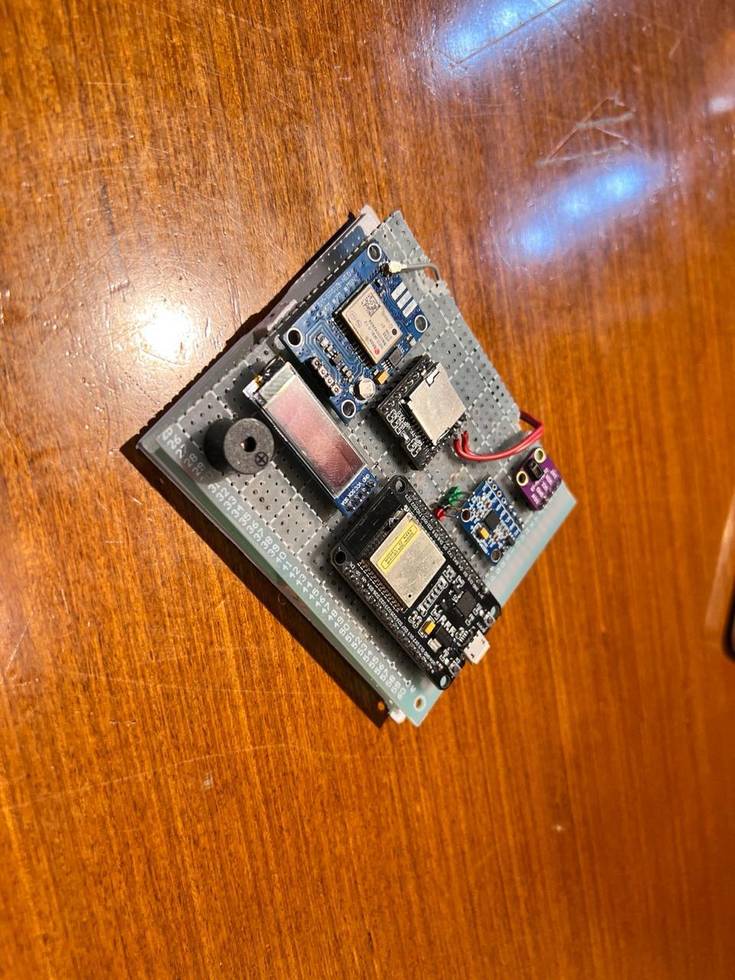
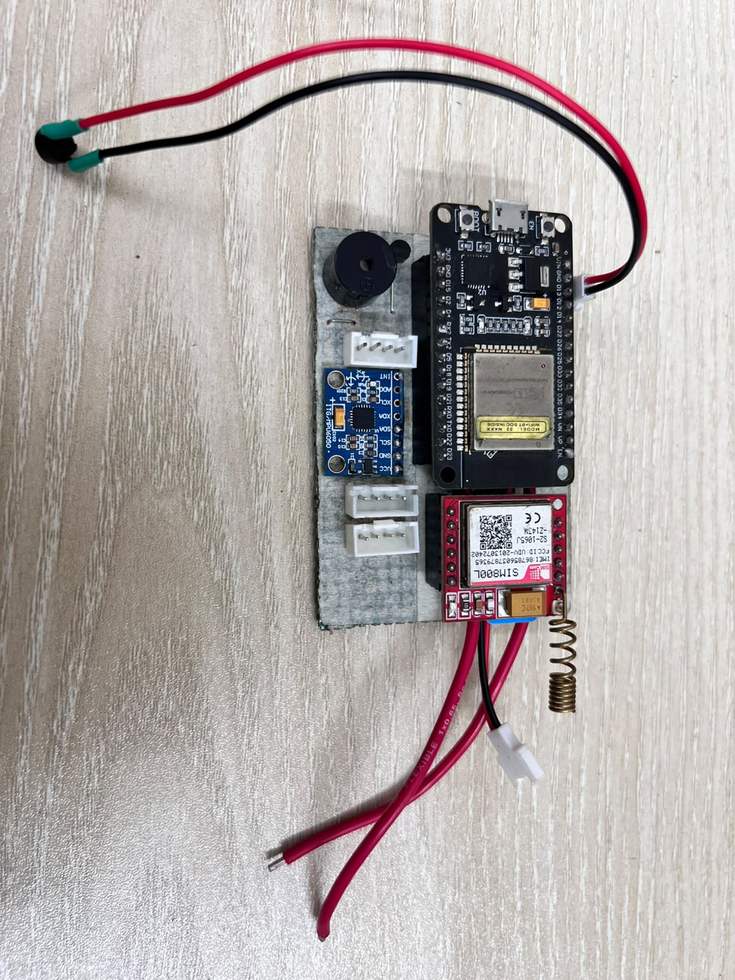
From perfboard to enclosure
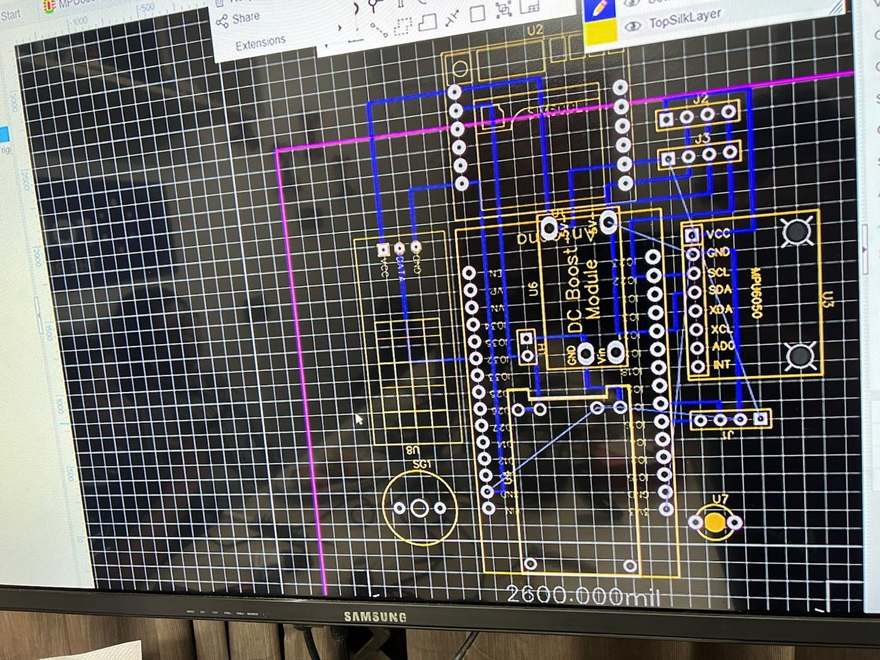
Before the printed case, the electronics were proved out on perfboard, then wired up to fit the enclosure. A circuit board was also drawn up in CAD.
Where it rides
The enclosure is self-contained — nothing inside it depends on the cane. But for someone who already walks with one, it fixes to the shaft just under the handle, where a hand already is. The camera looks out over the top; the display and pulse sensor hang on a short lead, within reach of a fingertip. It comes off in seconds, and the cane folds.
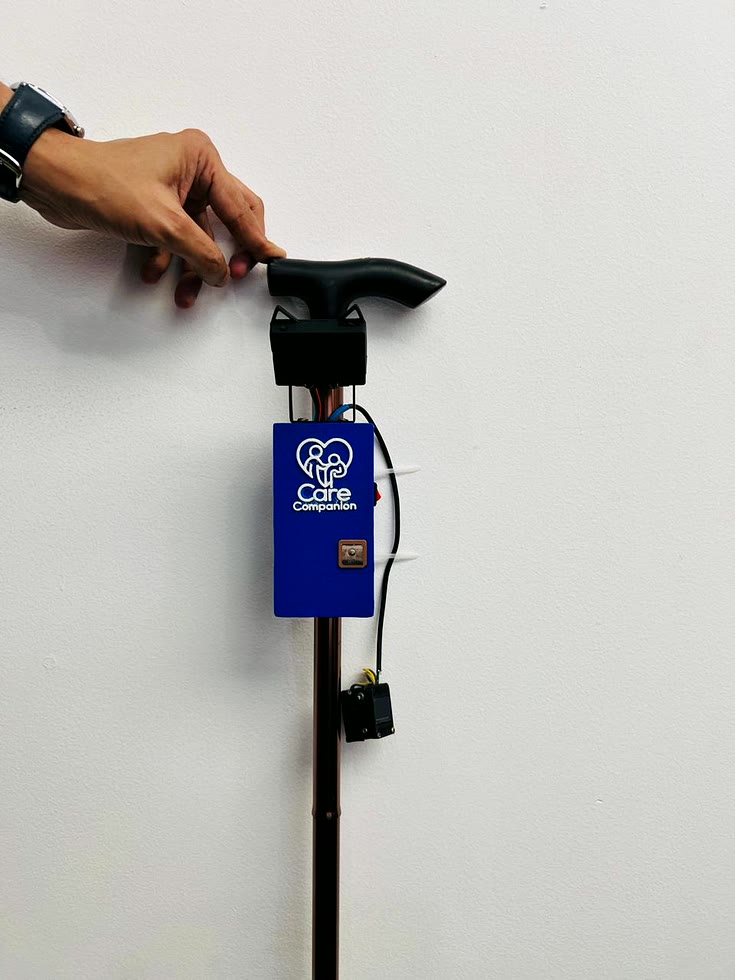
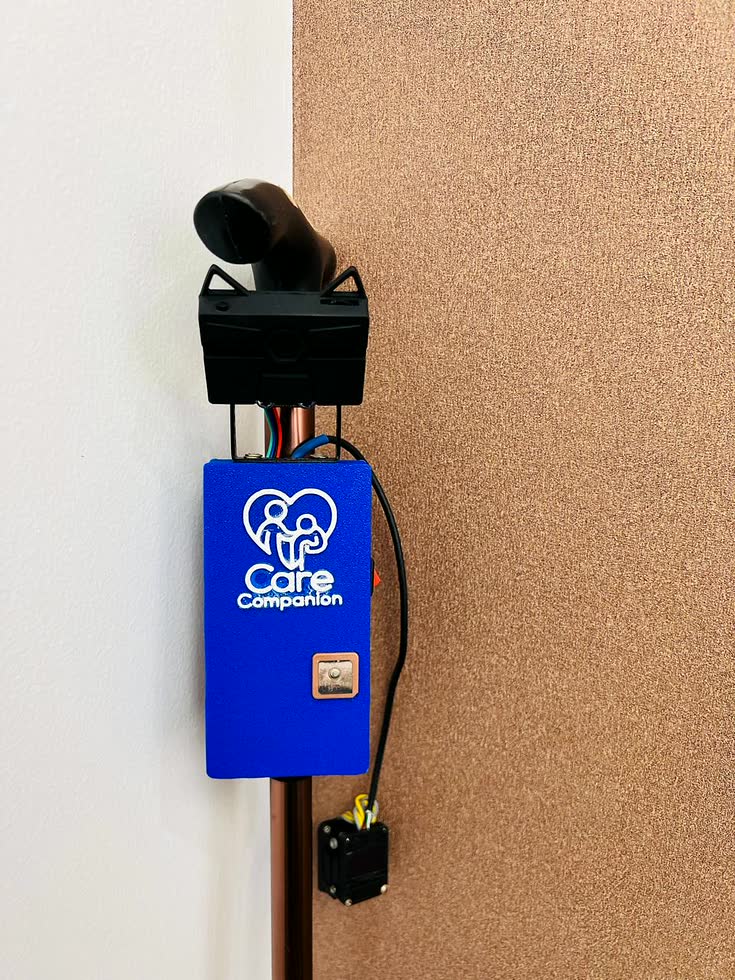
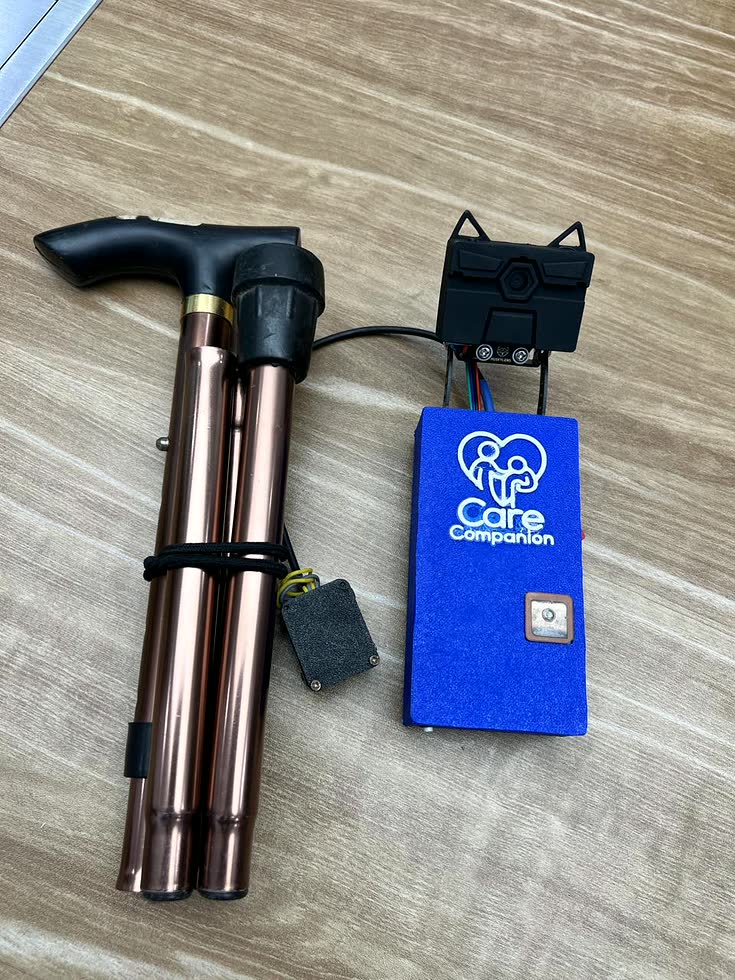
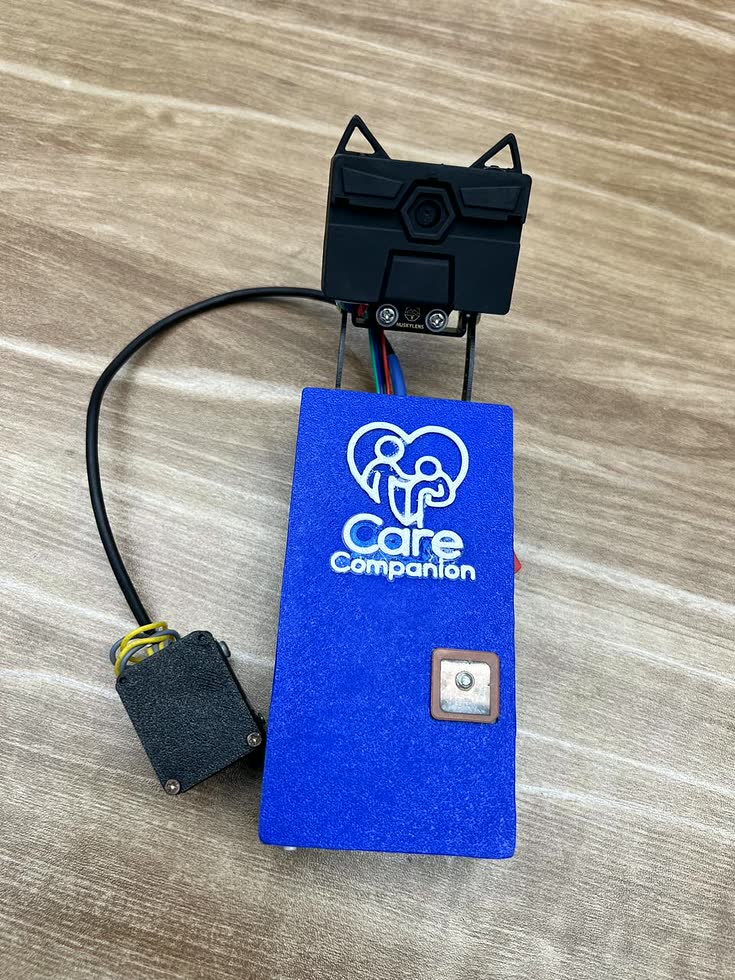
FIG. 03 — HOW IT WORKS
Watch, warn, verify.
On power-up the device brings up its sensors in order, joins Wi-Fi, and synchronises the clock. Then it loops — for as long as it is switched on.
- 01
Read the body
The MAX30102 looks for a fingertip. Above an infrared threshold it starts averaging beats per minute. Below 50 or above 100, the buzzer sounds.
- 02
Watch for the fall
The MPU6050 reports acceleration and tilt continuously. A hard impact and a flat resting angle together mean a fall — either alone does not. That pairing is what keeps it from crying wolf.
- 03
Keep the time
An NTP client holds the clock. Alarms arrive over Bluetooth as
alarm:-HH:MMand are stored until they match. - 04
Sound the reminder
At the appointed minute: two seconds of buzzer, a spoken prompt from the DFPlayer, and a message on the OLED.
- 05
Check the pill
The HuskyLens looks at what is being held. Tag ID 1 is the right medicine — a confirmation tone. Anything else is the wrong box, and it says so. If nothing is recognised within sixty seconds, the dose counts as missed and the alerts repeat.
// Calculate total acceleration magnitude
float totalAccel = sqrt(axg * axg + ayg * ayg + azg * azg);

// Calculate tilt angle (using Z-axis reference)
float angle = atan2(sqrt(axg * axg + ayg * ayg), azg) * 180.0 / PI;

// Check fall conditions
if (totalAccel > accelThreshold && angle < angleThreshold) {
  fallDetected = true;
  Serial.println("⚠ Fall detected!");
  digitalWrite(BUZZER_PIN, HIGH);  // Alarm ON
  delay(2000);                     // Keep alarm for 2s
  digitalWrite(BUZZER_PIN, LOW);   // Alarm OFF
} else {
  fallDetected = false;
}// Check Bluetooth input
if (SerialBT.available()) {
String command = SerialBT.readStringUntil('\n');
command.trim(); // Remove any whitespace
if (command.startsWith("alarm:-")) {
String timePart = command.substring(7); // Get HH:MM
int separator = timePart.indexOf(':');
if (separator != -1) {
alarmHour = timePart.substring(0, separator).toInt();
alarmMinute = timePart.substring(separator + 1).toInt();
SerialBT.printf("Alarm set for %02d:%02d\n", alarmHour, alarmMinute);
}
}
}
// SerialBT.printf("current time %02d:%02d\n", currentHour, currentMinute);
// Check alarm
if (alarmHour == currentHour && alarmMinute == currentMinute && currentSecond == 0) {
SerialBT.println("Please Take Your Prescribed Medicine!");
digitalWrite(BUZZER_PIN, HIGH);
delay(2000); // Keep buzzer on for 5 seconds
digitalWrite(BUZZER_PIN, LOW);
myDFPlayer.play(1);
alarm_recheck = millis();
alarm_done = 1;
}if (alarm_done) {
if (result.ID == 1) {
med = 1;
med_time = millis();
SerialBT.println("Proper Medicine Recognized");
myDFPlayer.play(3);
} else {
if (millis() - med_time > 60000) {
med = 0;
}
SerialBT.println("This medicine is not correct. Please choose the right one");
myDFPlayer.play(2);
}
}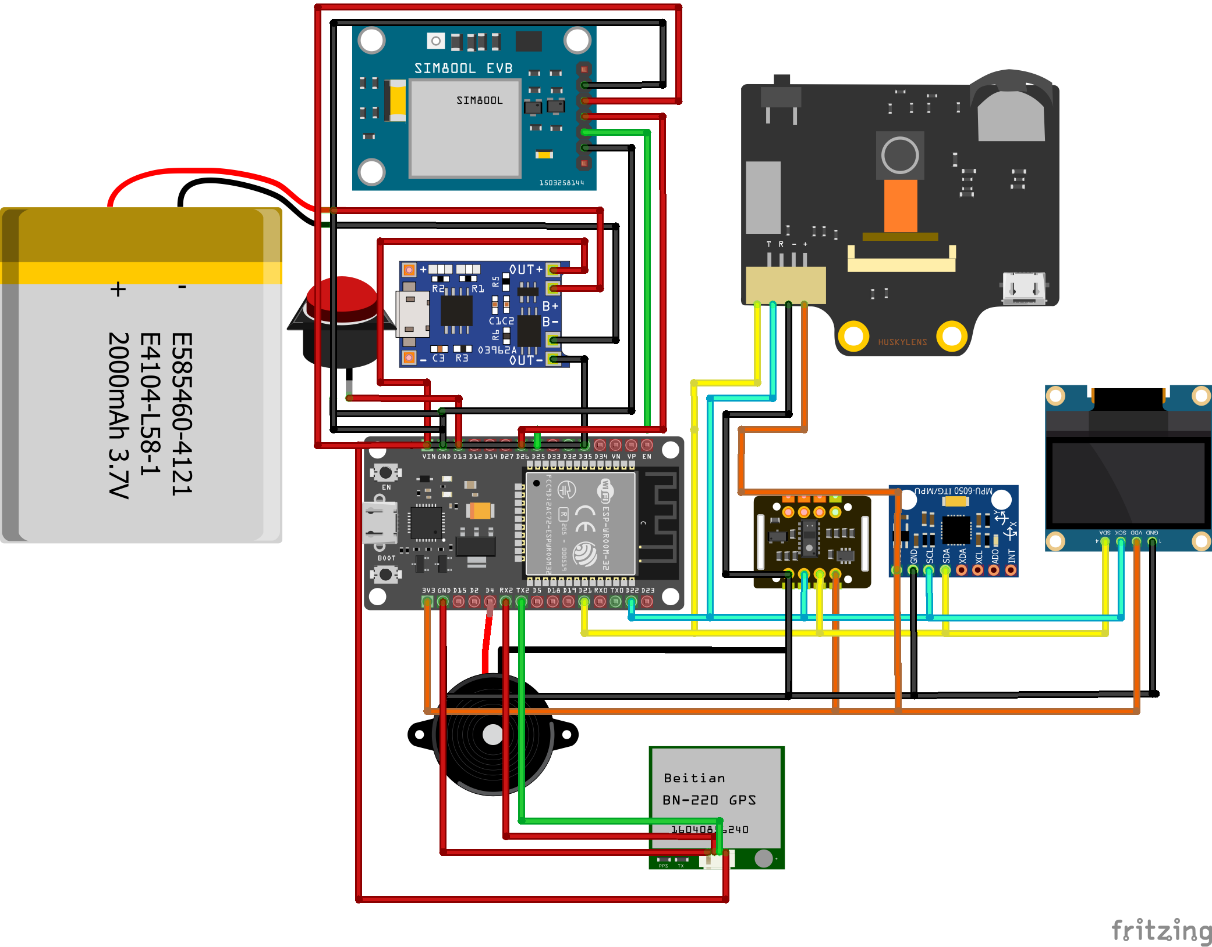
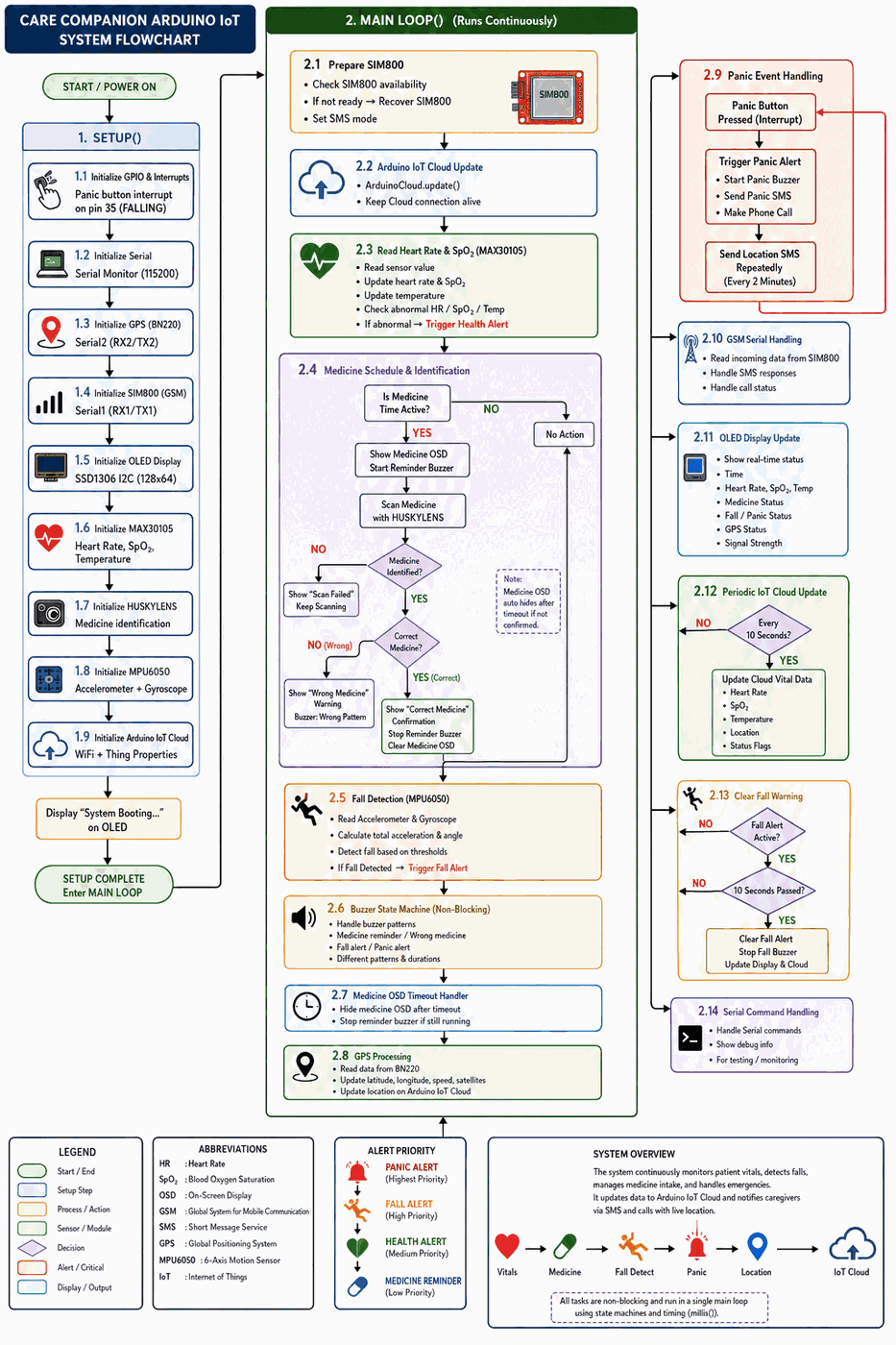
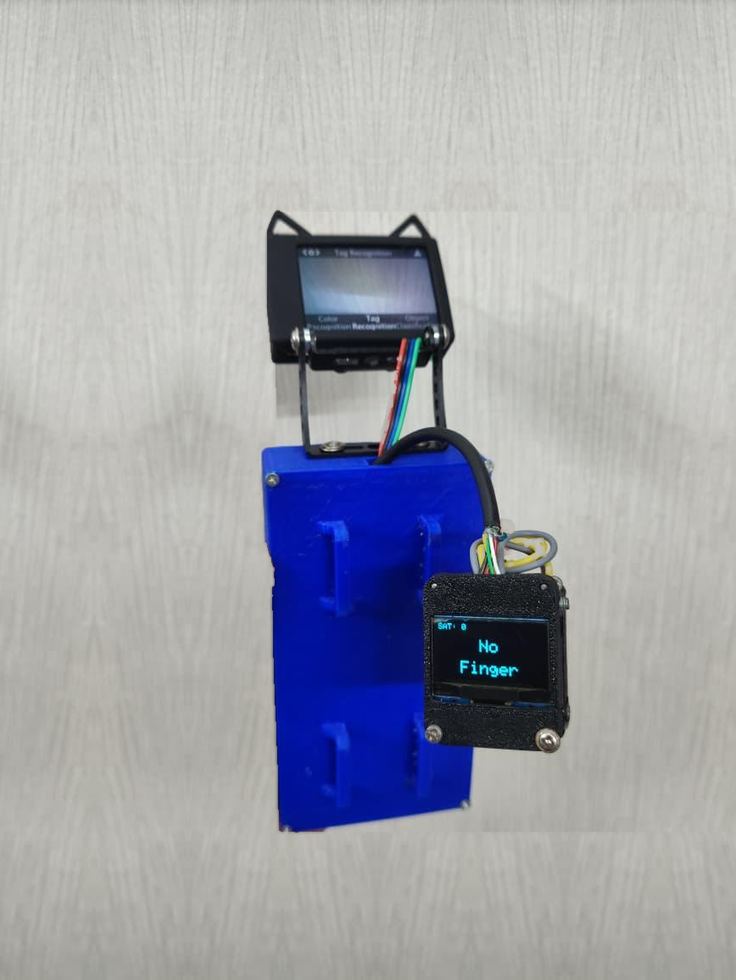
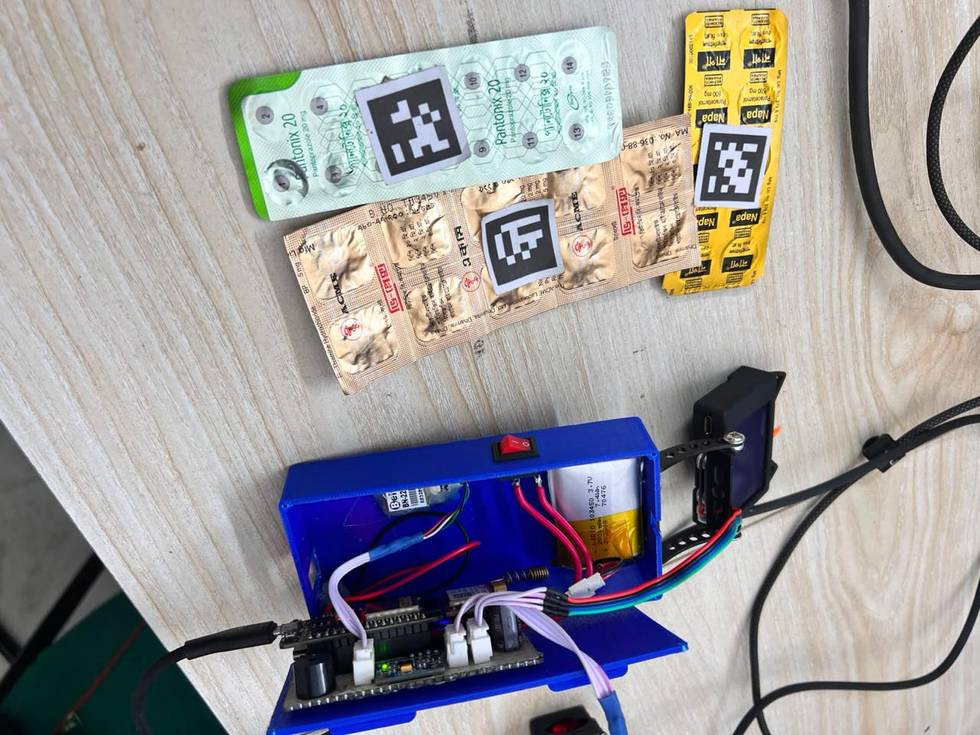
FIG. 04 — IN THE FIELD
Where it goes.
At home
The most direct use. For someone living alone, its portable, stick-like design makes it easy to place on a desk or carry throughout the day. It does not need to be worn, remembered, or charged on a schedule someone else sets.
Assisted living
Staff cannot check every resident's medicine schedule by hand. Reminders run per resident, and staff attention goes to the cases that need judgement.
Hospitals and clinics
Heart rate and SpO₂ are logged as they are taken, so a doctor sees a trend rather than a single reading. GPS can locate a patient in a large ward.
What it cannot do yet
Native app support
The system runs on Arduino IoT Cloud, which limits access and scheduling. Reaching its full potential needs a dedicated server, a real-time database, and an app to drive them.
Recognition scope
HuskyLens identifies medicines from tags it has been taught. Generalising to any pharmacy box needs a much larger dataset and OCR to read the printing.
FIG. 05 — THE LANDSCAPE
Others got here first. Not here.
Japan
The global leader, driven by an ageing population and a shortage of carers. Paro, a therapeutic robotic seal, comforts residents in nursing homes. Pepper leads exercise classes and gives medication reminders. Panasonic and Toyota build transfer robots; Cyberdyne's HAL exoskeleton assists mobility and rehabilitation.
Germany
Facing a significant carer shortage. Fraunhofer IPA's Care-O-bot performs service tasks such as serving food and drink.
United Kingdom
Socially assistive robots are being trialled to engage older adults in physical activity recommended by the NHS — leading exercises, offering encouragement and feedback.
The Netherlands
The ZORA humanoid runs group activities such as dances and exercises across care homes in the Netherlands, Belgium and France.
United States
North America holds the largest revenue share of the elder-care assistive robotics market. ElliQ, from Intuition Robotics, has been distributed to elderly residents in New York for companionship and reminders.
South Korea
Companies are building AI robots with advanced language processing and emotional recognition, for people living with conditions such as dementia.
Why this matters in Bangladesh
Robotics is arriving — in rehabilitation
Bangladesh recently opened its first robotic rehabilitation centre at Bangladesh Medical University in Dhaka, with over 60 robots, 22 of them AI-powered, for physiotherapy and neurological rehabilitation.
Health-tech here is digital, not physical
Praava Health, CMED Health and Arogga are changing how people reach care, through apps and online pharmacies. None of them puts a physical companion in someone's hand. That gap is where CareCompanion sits.
FIG. 06 — THE TEAM
Team Kshemankari
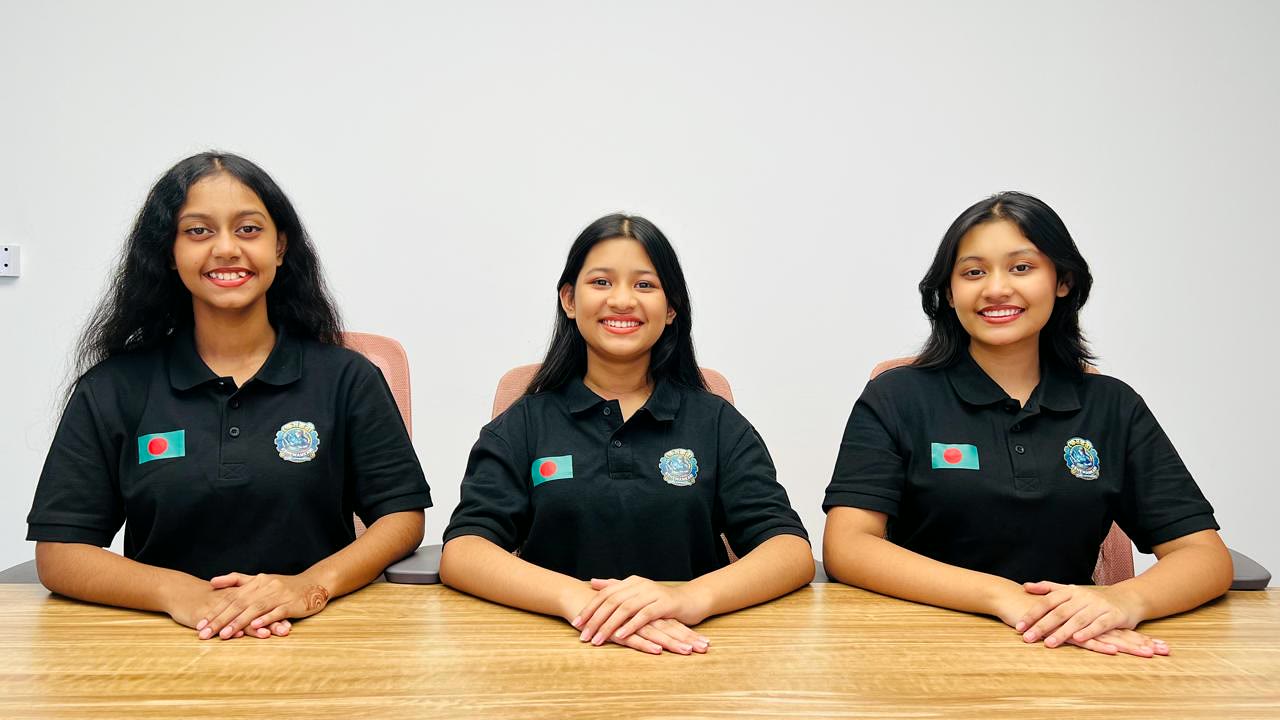
Three students, three jobs, and a grandmother who kept forgetting her medicine.

-
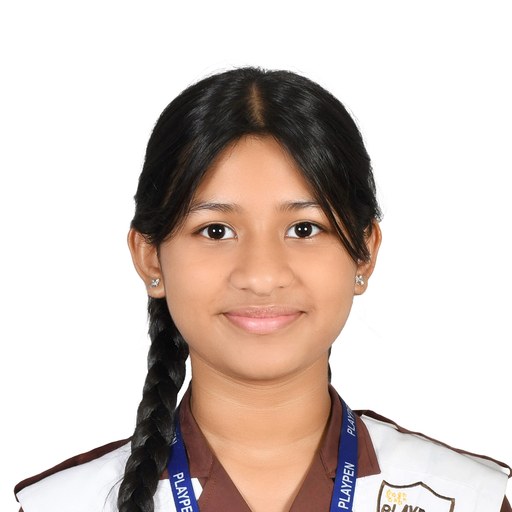
Songhita Dutta
Logistics Coordinator
Playpen School
-

Rishad Ababil Aebong
Team Lead · Circuit & Electronics Specialist
Bangladesh International School and College
-

Swastika Dutta
Hardware & Mechanical Designer
Playpen School
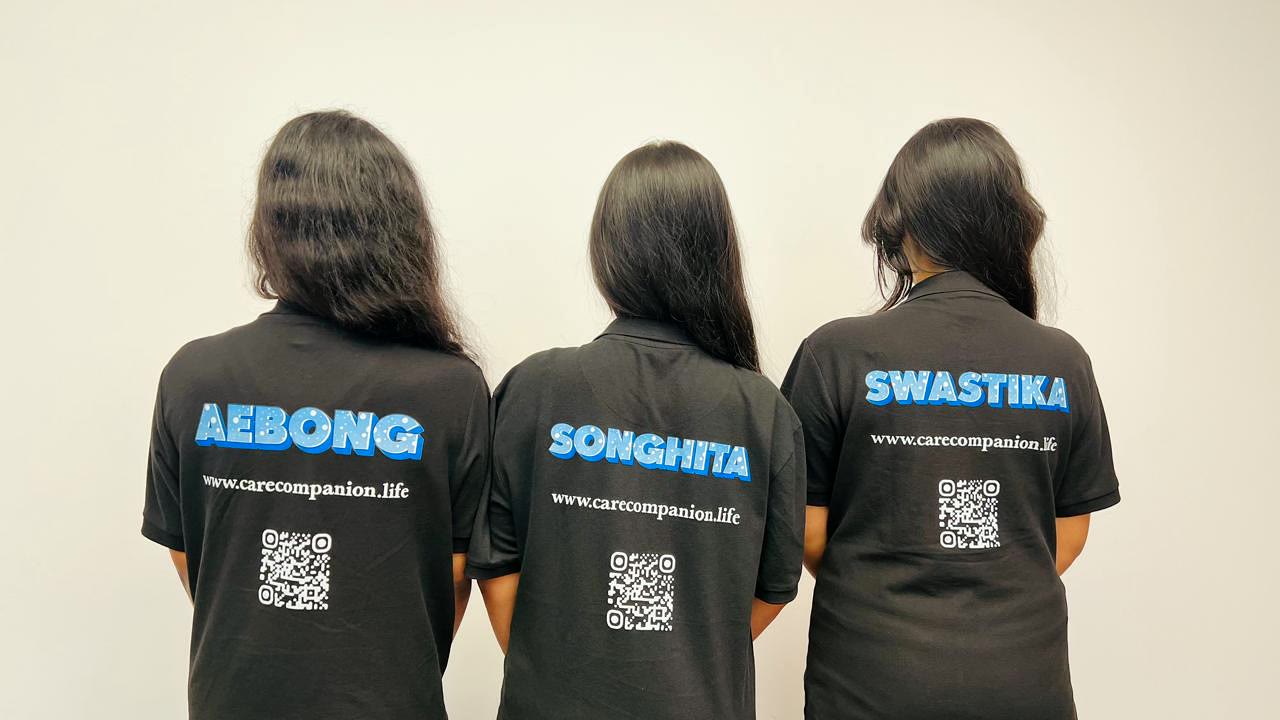
FIG. 07 — WHAT'S NEXT
What we would build with more time.
An app worth having
Real-time vitals for whoever is worrying, push alerts on a missed dose or a detected fall, and a way for a carer to set the schedule remotely instead of over Bluetooth.
Recognition that generalises
A far larger and more varied training set, a stronger model, and OCR so the camera can read a box it has never been shown.
A voice
Simple spoken commands — "when is my next dose", "call my son" — so the device works for someone who cannot read the display.